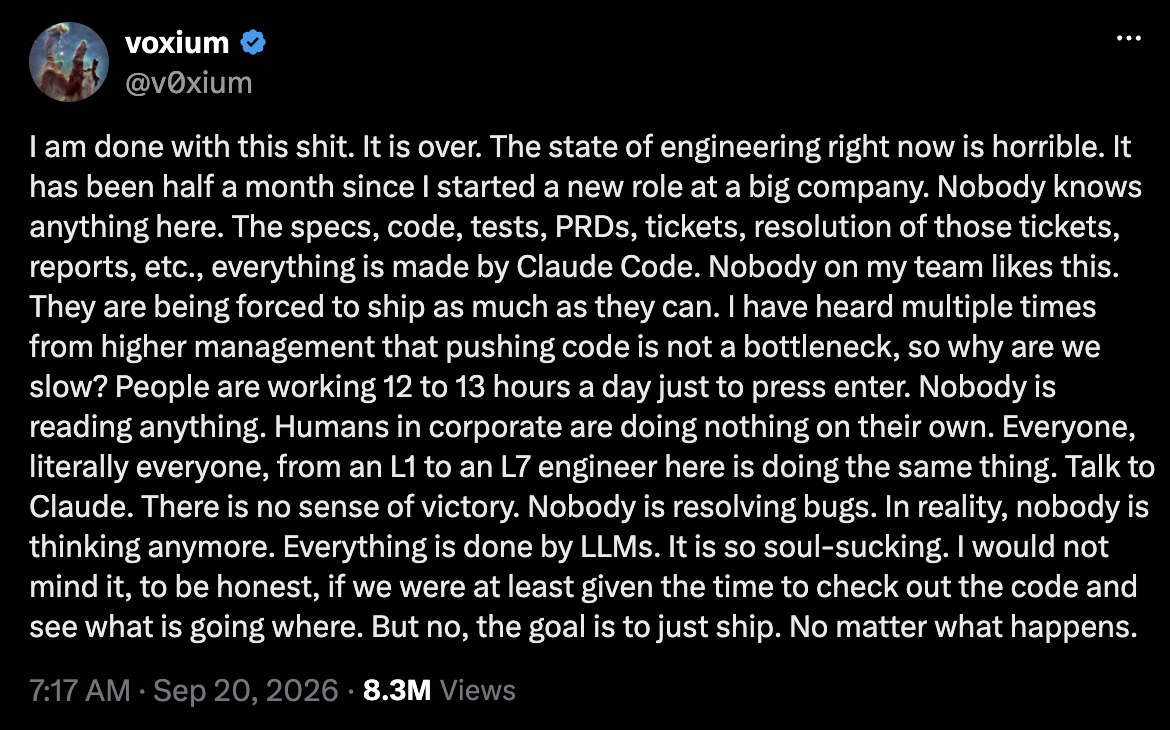
We seem to be living through yet another AI craze and there is a new article in the media almost every day on how someone uses some kind of generative AI tool to work faster and improve productivity. Often the focus of the discussions within IT is how much faster software development has become with AI tools. At the same time, there are worries about how this speed has hurt software quality, and horror stories like this one keep popping up:
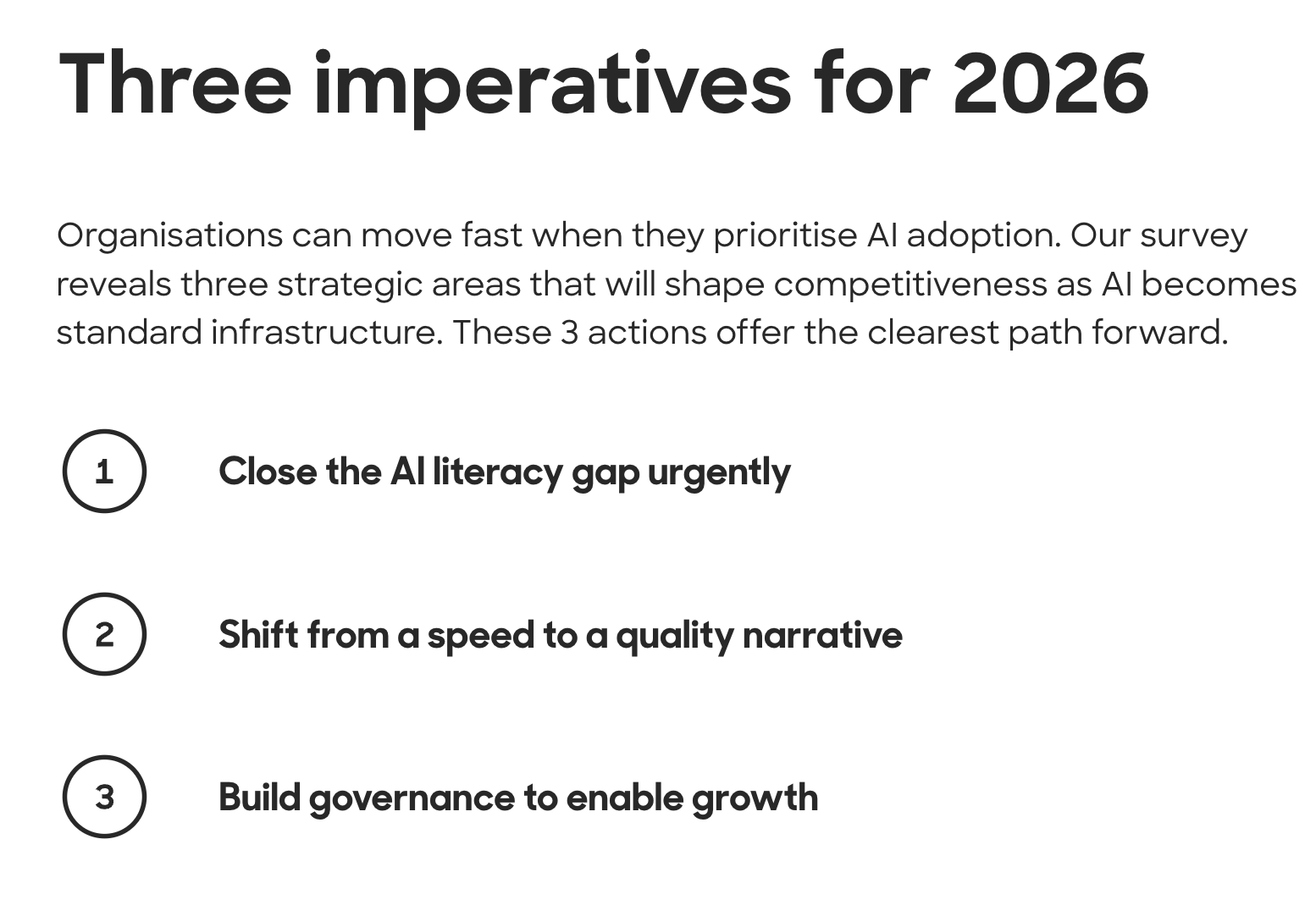
Solita’s research report from this year lists focusing on quality as one of the three strategic areas for AI transformation. That aspect is still not discussed very often when talking about using agentic tools for software development. AI tools do have a lot of potential to improve software quality, if they are used intentionally and with the right mindset. The old truth in software engineering states that code is not an asset but a liability. In most cases our goal should not be to churn out the maximum amount of lines of code and features as fast as possible. We all know that it leads to a codebase that is impossible to maintain and understand, which in turn leads to a lot of time spent hunting bugs.
In this post, I’ll go through some practical ways of using agentic software development tools to improve code quality. I use GitHub Copilot CLI with a skill-based workflow, but these techniques will probably work with many other tools and setups too. If you want to learn the basics of an agentic workflow, this is a good place to start. I learned many of these skill techniques from my colleague Leo Vainio and some of the insights here I learned from Heikki Hämäläinen. I’m lucky to learn from such smart people. At the end of the post I want to share some thoughts about the mindset that helps to maintain code quality and understanding of the solution while using agentic coding methods.
Skill workflow and code quality
Code analysis skill

Most AI coding workflows start with some kind of a planning phase, possibly with a separate codebase analysis step. That is necessary because the plan helps the coding agent to stay in scope and write better code. The codebase analysis step is also a good starting point for focusing on code quality. The codebase analysis skill instructs the agent to first search for related code in the codebase. If you work with a complex codebase with a lot of modules and layers, it may be useful to have some documentation with a summary of each module that the analysis skill can refer to. You can of course keep that up to date with another skill later in the workflow.
code-analysis/SKILL.md
### 1. Read the module map

Read `docs/module-map.md` to understand module responsibilities and
dependencies. Identify the target module and what depends on it.

### 2. Find existing code

Search for existing code related to the ticket in every layer it touches:
entities, repositories, services, REST endpoints, migrations and tests.
List what you found for each layer, or state that nothing exists.
One very useful instruction for this skill is to make it search git history for things that are related to the ticket. With a legacy codebase, it can be incredibly useful to see how and when a feature has been changed. For example, I have found things that have unintentionally changed in the server code years ago and the UI code has just worked around that. These things often have a lot of implications for how the next change should be implemented, and it’s of course very useful for debugging.
code-analysis/SKILL.md
### 3. Check git history

For the key files found above, check how and why they have changed:

git log --oneline --follow -- <file> | head -20

Look for earlier tickets, reverted attempts and bug fixes in the area.
Finally, a useful analysis skill should write a document in prose without using code blocks. When you force the agent to rephrase things in the code with prose, it tends to find logical problems more easily than when working with code. There’s also a practical benefit: with no code in them, the analysis files can go into version control without showing up every time you search for a class or method name.
code-analysis/SKILL.md
### 4. Write the analysis

Rewrite the ticket as one coherent document: description in your own
words, scope, acceptance criteria and technical analysis.
Describe structures in prose. Do not include code blocks.
An agentic code analysis skill can find things in the system that the proposed change would affect that the developer hasn’t thought about or doesn’t remember anymore. When working with a legacy system with many developers over the years, routinely searching the version control for changes that a feature has been through can reveal problems that would have otherwise surfaced later in production.
Review skill

After the analysis is ready, another skill writes the more technical plan, which contains what actual changes to files are needed to implement the feature. This phase of the workflow offers another opportunity to focus on code quality. A review skill can review the plan files before the change is even implemented. A review skill should be instructed to actively search for problems and edge cases in the plan, and to base its findings on the code.
review/SKILL.md
### Reviewing a plan

Review the plan before implementation. Actively look for problems:
explore the codebase and think of concrete situations (in usage, data
or concurrency) that the plan doesn't handle or where it could fail.
Ask "when does this not work?" and find evidence in the code.
The reviewer should not fix the findings, but write them to a file without code blocks. Like with the analysis skill, this forces the agent to follow the logic better than it would when working with just code or a technical plan. That also gives the developer an opportunity to make choices and understand the feature better along the way. Numbering the findings makes it easy for the user to tell the agent which ones to fix and which ones to ignore. Naturally, if the review skill repeatedly reports things that do not need fixing, add them to the skill as things not to report.
review/SKILL.md
Do not fix findings. Document them; fixes are done separately.
Write all findings to the review file in one numbered list,
ordered by severity.
Reviewing both the plans before implementation and the implemented code is a good way to work with the agent iteratively, so that the developer actually makes the choices using their expertise and in the end understands the logic of what was implemented. Because of the oppositional nature of seeking problems and trying to prove why the implementation wouldn’t work, things that would cause bugs and other subtle problems can be found early on.
Test writing skill

Having good test coverage (finally!) is one of the quality benefits that using agentic tools for software development offers. Without good instructions though, agents tend to write tests that are not meaningful and that don’t help with the things we actually need tests for. We all know that good tests test the code behavior in different scenarios and not the inner details of the implementation. An easy way to achieve this is to make the implementation follow the TDD method. When the agent writes the tests first, it has to run them and check that they fail because the logic is missing, not because of a compile error or broken setup. That proves the tests actually test something. Writing missing regression tests before implementation is also a good way to increase test coverage and prevent bugs during implementation.
test-writing/SKILL.md
Read the TDD plan and write the tests before any implementation.
The tests define the expected behavior; the implementation follows them.

Red phase is done when:
- All tests compile
- Regression tests pass
- New tests fail because the logic is missing, not because of compile errors
The green phase (actual code implementation) should just implement the code and not touch the tests anymore. That helps to improve the quality of the tests. It also discourages the agent from “cheating”, from changing the tests to make them pass and that kind of nonsense.
test-writing/SKILL.md
Implement only what the tests require. Do not add or modify tests;
if a test seems wrong, stop and report it.
Technical debt skill

The purpose of the technical debt skill is to make additional use of the tokens that our agents spend while analyzing the codebase. It is a skill that is not part of the actual workflow and the agent can invoke when it encounters a problem in the code that is not related to the ticket that is in progress, or the developer can manually invoke it after the agent has been through a lot of code. Once I fixed a bug in one endpoint, and the technical debt skill had recorded that the same bug existed in another endpoint. It was much easier to fix that at the same time than to find out about it later, when I would have probably forgotten the details. For it to be useful though, you will have to spend time at some point to fix the debt.
technical-debt/SKILL.md
While exploring the codebase for other tasks, record notable technical
debt you come across in `docs/technical-debt.md`.

Do not fix the debt. Document it only; fixes are made separately
and deliberately.
Developing the skills with iteration
Iteration is the best way to develop an agentic pipeline that actually produces good quality code that fits the conventions of your codebase and works with your environment and processes. When you notice that the agent writes bad code or tests that don’t test the right things, think about why the skill doesn’t work as intended and then add instructions to the skill or fix the wording. This way you will get a better process over time, and won’t spend your time fixing AI slop. Starting to build your skill pipeline shouldn’t require a lot of work beforehand. Just start with a few basic steps and improve them when you notice what kind of mistakes they make in practice.
Quality mindset
I believe that if we want to trust our software, we still need people who understand how the software works. With agentic workflows, it is important to work in a way that supports our understanding of the logic that is implemented and also helps us to learn along the way. The workflow itself needs to support this: the code analysis and review skills described earlier in this post help the developer to understand the feature and to make choices on how things are implemented. It also helps to have a curious mindset. If the agent uses a class or a function that you haven’t seen before, you should look it up and learn what it does. Without doing that, you can’t really take responsibility for the code that has your name on it in version control.
I also believe that all code that you write with AI tools has to be maintainable by you without the tool, if you plan the code to be maintained in the long term. It might help to have some days when you don’t use AI tools at all. That is a very educational habit if you have learned to lean on the agents a lot. Being without AI forces you to dig into the code and read it, and read the library documentation. Learning helps you to write better software in the long run, so it is also an argument for quality.
One phenomenon that is often talked about is that agentic coding is more draining, not less. That is because the agents can implement features and write code very fast but your mental bandwidth to go through the changes is more limited. If you want to understand what is happening in the code, you need to keep up with the changes. This is why I think that you most often shouldn’t multitask, if you want to preserve good code quality and your own sanity so that you won’t burn out. If the coding agent takes a long time, then use that time to go through your Slack or email, or take a break every once in a while. Read a page from a book that helps you to develop competence further. If you make the agentic loop iterative like proposed in this post, the steps shouldn’t take very long anyway. When you come back to the terminal refreshed, you can handle the velocity of the agentic development better.
AI is not always the best tool for the task. I have caught myself writing rules in the implementation or review skill files on the frontend, when I could have put that same rule in the ESLint config. Making deterministic checks with something other than AI is much more reliable and is also sensible from economic and sustainability perspectives. AI is a good tool but it consumes a lot of resources, so use it for purposes for which it makes sense.
I don’t think generative AI tools should make development decisions for us. In my experience, an AI verdict on whether something is good enough mostly adds noise and makes it less clear who actually made the call.
This is why the reviewer skill has this line:
review/SKILL.md
Do not judge whether the change is acceptable or ready. Report findings
only. The user decides on approval.